QR code photo sharing
Free, no app,
unlimited uploads
Print a QR code. Guests scan it and upload their photos. That's the whole thing — no app to install, no account to create.
Free • Works on any phone • Print it however you want
Here's what you're getting
Stop chasing people for their photos
No group chats filling up, no shared drives nobody checks, no "can you AirDrop that?"
Stupid fast
Scan, pick photos, upload. Your guests go from "what's this code?" to uploading in about ten seconds. No URLs to type.
Grandma-proof
Point camera at code, tap the link. Done. We've watched 80-year-olds nail this on the first try.
No app to install
It's a web page. No "download our app" moment that kills the vibe. No storage space needed, no permissions pop-ups.
Print it on anything
Table cards, posters, programs, invitations — stick it wherever guests will see it. We give you print-ready files.
Make it look good
Add your colors, drop in a logo, pick a style that fits your event. Nobody wants an ugly QR code on their wedding table.
iPhone, Android, whatever
Every phone made in the last 5 years can read QR codes with the built-in camera. No compatibility headaches.
See for yourself
Four steps, that's it
Create an event, grab your QR code, print it somewhere guests will see it. Done.
- 1. Create your event (takes seconds)
- 2. Download your QR code as SVG or PNG
- 3. Print on table cards, signs, or invitations
- 4. Guests scan and upload - you watch photos appear
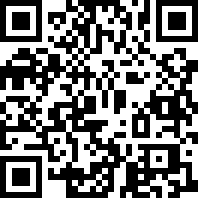
Go ahead, scan this one
Live demo - see the upload experience for yourself
People use this for all sorts of things
Weddings
One QR code per table. By the end of the night you'll have dinner selfies, dance floor chaos, and everything in between.
Birthday parties
Tape one to the front door or print it on the invite. Photos start rolling in before the cake's even cut.
Corporate events
Put one at the registration desk. Way better than emailing everyone afterwards asking "hey, got any photos?"
Graduations
Share the code with the whole family. Uncle Mike's telephoto shots and your cousin's blurry selfies, all in one place.
Conferences
Put the code on screens, badges, signage. You'll end up with way more photos than any hired photographer could take alone.
Any celebration
Reunions, anniversaries, baby showers — if people are bringing phones (they are), you might as well get their photos too.
Where to put the QR code
Table cards
One per table at weddings or dinners. Add "Got photos? Scan me!" and you'll be surprised how many people actually do.
Welcome signs
Big poster by the entrance. People scan it on the way in and have the upload page ready all night.
Cocktail napkins
Print it on custom napkins at the bar. People grab a drink, notice the code, scan out of curiosity — next thing you know, 50 new photos.
Invitations
Put the code right on the invite. Some people will scan it early and upload pre-event photos, which is kind of great.
Photo booth area
Near the selfie station or props area. People take goofy photos and upload them right there.
Digital displays
Show it on a screen or projector between slides. Big enough that nobody misses it.
Common questions
How does it actually work?
Guests point their phone camera at your QR code, tap the link that pops up, and they land on your upload page. Pick photos, hit upload, done. No apps, no accounts.
Does it work on all phones?
Yes! iPhones (iOS 11+) and Android phones both read QR codes with the built-in camera. No special scanner needed - it just works.
Can I make the QR code match my event?
Yes! You get a clean, scannable QR code you can drop into your own designs. Want to go further? Custom colors, logos, and styles are all doable.
Try the QR Stylist for custom colors, logos & stylesHow big should I print it?
Table cards? 2-3 inches is perfect. Posters or signs? Go 4-6 inches so people can scan from further away. We give you high-res files that look sharp at any size.
What if someone can't scan the code?
Every event also gets a short URL (like knipsmig.com/abc123) they can type instead. Print it alongside the QR code so no one's left out.
One QR code per event, right?
Yep! Each event gets its own code so photos stay organized. Create as many events as you want - each one gets a fresh QR code.
Any limit on how many people can scan it?
Nope! 10 guests or 1,000 - the QR code works the same for everyone. Unlimited scans, unlimited uploads.
Related reads
Other ways people collect event photos
Takes about a minute to set up
Create an event, download your QR code, print it. That's genuinely all there is to it.
No account needed • Free